
 https://rustventure.gg
 Join our Discord
rPhone — Complete Smartphone System for Rust
WATCH FULL SHOWCASE VIDEO HERE: YOUTUBE
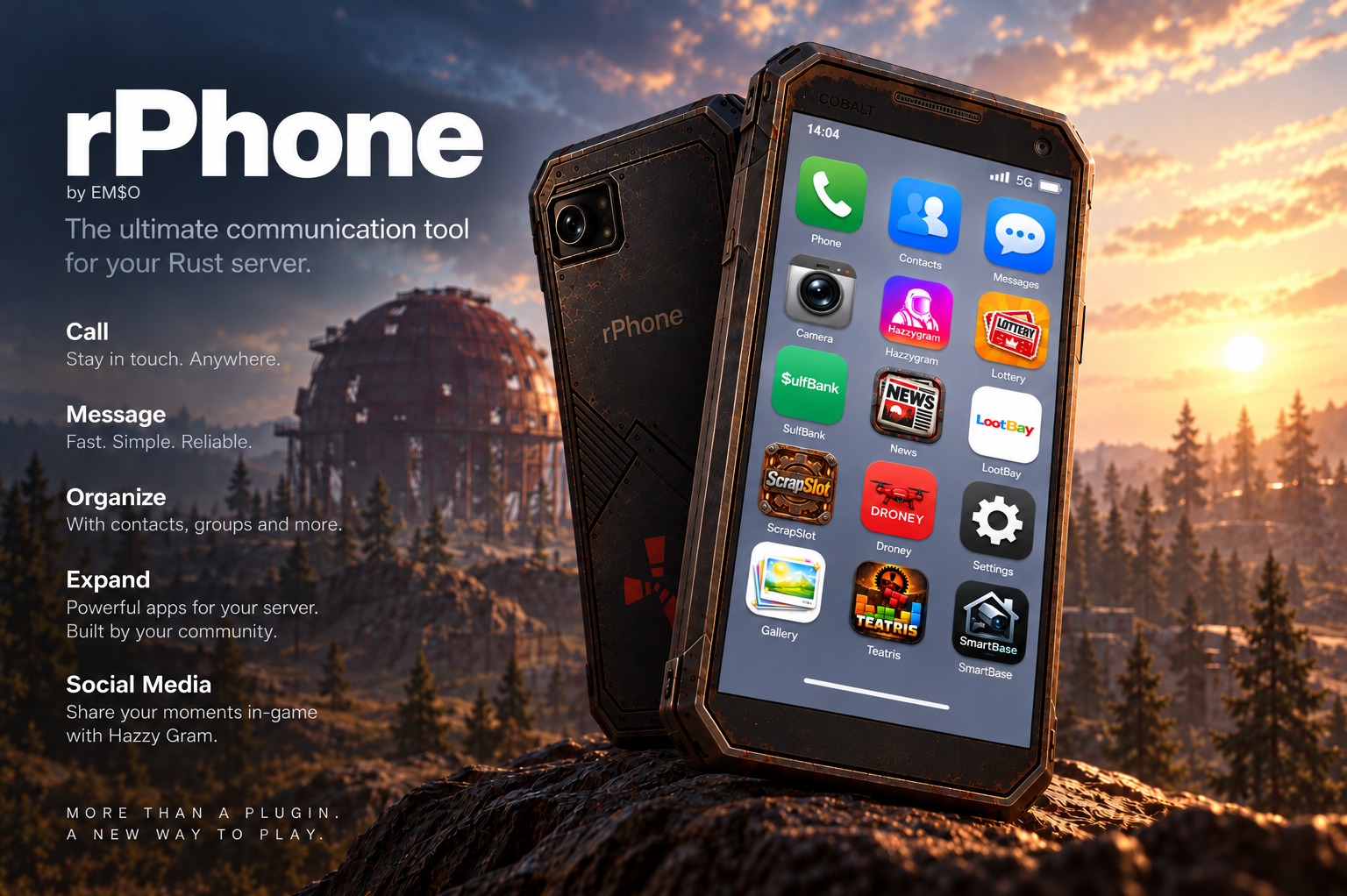
rPhone is a complete, fully integrated smartphone system for Rust that brings communication, social media, banking, trading, base management, entertainment, news, photography and more into a single polished in-game phone.
This is not just a phone UI or a collection of shortcuts. Every included application is part of the same system and is designed to work together.
Players can make real player-to-player phone calls, save contacts, send SMS messages and photos, use an Instagram-style social network, buy and sell items, vehicles and bases, manage supported economy balances, monitor their bases, access CCTV cameras, control drones, play games, participate in a server lottery, gamble Scrap in ScrapSlot and much more.
The complete visual layout is already built into the plugin. There is no customer-facing layout editor and no collection of separate UI configuration files. rPhone ships as a ready-to-use production system with one clean configuration file for actual server/gameplay settings.
Main Features
rPhone provides a persistent, modern smartphone experience instead of opening unrelated plugin windows. The phone frame remains consistent between applications, includes an in-game clock and provides a persistent hotbar-style phone shortcut for players who own a phone.
Server owners can choose between two different phone access systems. The smartphone can be completely free, automatically giving every player a phone when they join, or it can operate as a purchase system where players must buy their phone with Scrap. The purchase price can be changed directly from /phoneadmin.
Every phone receives its own unique phone number. Phone ownership and player data are persistent, and the individual apps share information where appropriate — for example Contacts can be used by Messages, Camera photos can be sent through Messages or uploaded to Hazzygram, and Camera images can be used for LootBay listings.
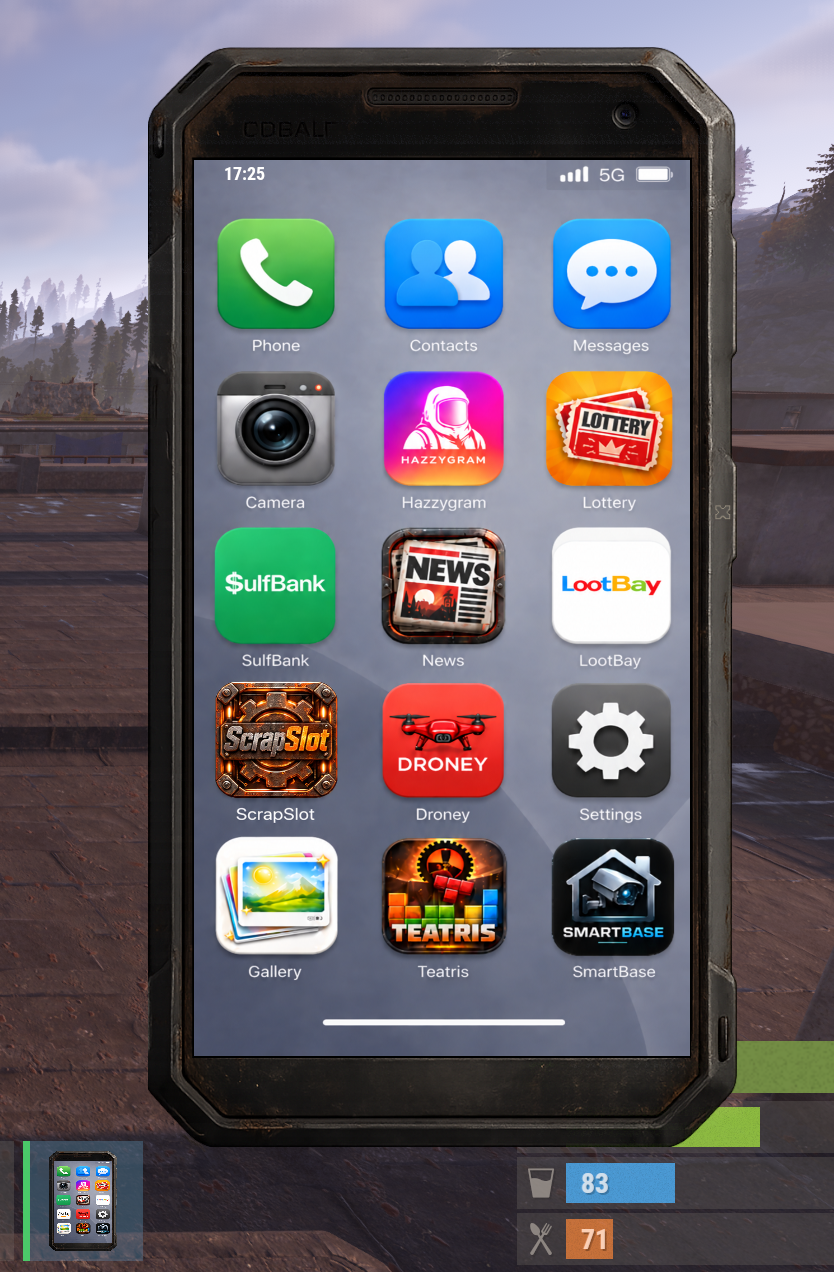
The launcher contains 15 integrated applications:
- Phone — Full dialer and player-to-player calling system with unique 8-digit phone numbers, outgoing/incoming call screens, answer/reject/hang-up controls, connected-call display, call duration, missed calls and recent-call history. Calls use Rust voice functionality with a direct voice-relay fallback system, and normal proximity voice can be isolated while a phone call is connected.
- Contacts — Save players under custom contact names together with their phone numbers. Contacts can be called directly and are integrated with the Messages app for quickly selecting SMS recipients. Contact records follow the phone-number system instead of requiring players to remember Steam IDs.
- Gallery — Every player has a personal phone gallery containing photos taken through rPhone Camera. Gallery pages support photo previews and deletion, and the gallery acts as a shared image picker for Messages, Hazzygram and LootBay.
- Camera — Integrated Rust Instant Camera support. Players can launch the camera directly from the smartphone, take pictures and have them saved into their personal phone gallery. rPhone can temporarily provide the camera during capture and restore the previously selected belt item afterwards. Photos are reusable throughout the other phone applications.
- Messages — Persistent SMS-style player messaging. Players can start conversations through their Contacts, send text messages, receive unread messages and keep persistent conversation histories. Image messages can be sent directly from the Camera gallery. Received images can be saved into the recipient's own gallery. Messages continue to exist even when the other player is offline, and online recipients can receive an instant notification.
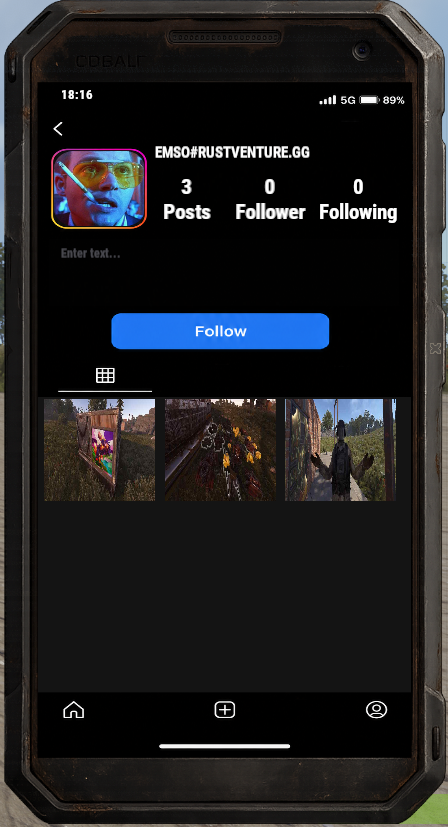
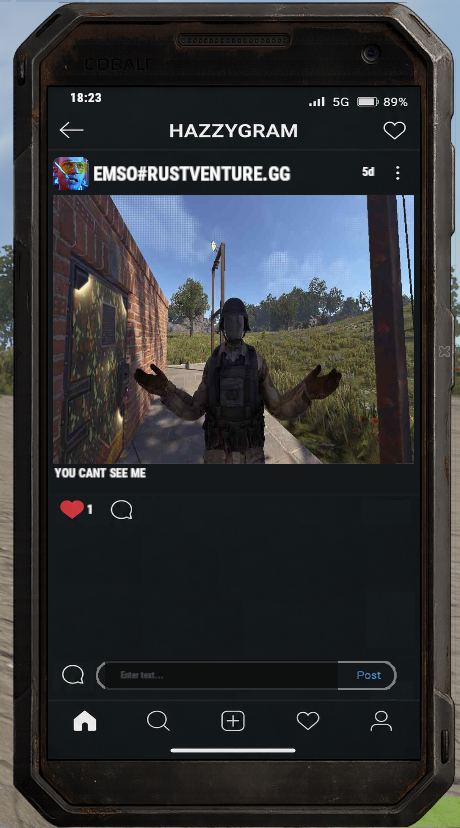
- Hazzygram — A complete in-game social network inspired by modern photo-sharing platforms. Every player can have a profile and bio, follow other players, gain followers, search for profiles and browse a shared feed. Players can publish Camera photos with captions, like posts, comment on posts and delete their own content. Hazzygram also includes Stories: players can select a gallery image, add overlay text, change the text position, size, color and font, publish the Story and receive likes. Social activity such as follows, likes and comments can generate notifications.
- Lottery — A server-wide automated lottery system. Players purchase tickets directly through the phone, and every purchased ticket acts as another entry in the drawing. The app displays the current prize, ticket price and drawing countdown. Server owners can configure drawing intervals, maximum tickets per player, ticket cost and the prize. Tickets and prizes can use normal Rust items or configured custom/skinned items. Winners are selected automatically, announced to the server and receive their prize. If a winner is offline, the prize is stored and delivered when they return.
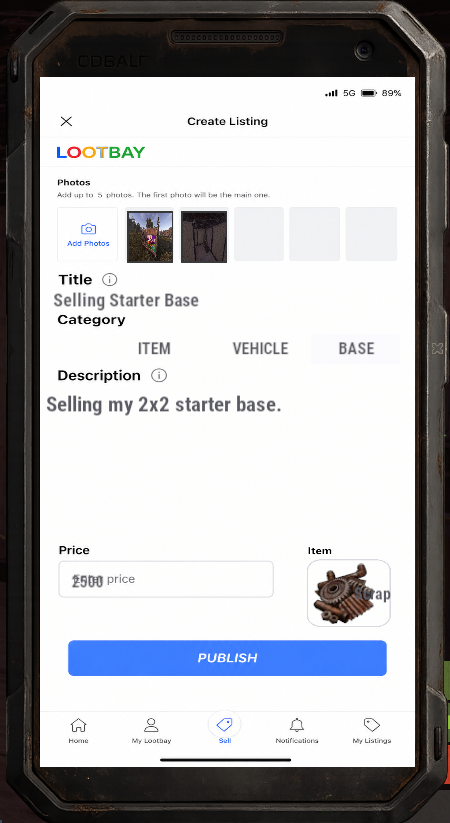
- LootBay — A full player marketplace built into the phone. Players can browse listings, inspect detailed offers, manage their own listings and sell items, vehicles and complete bases. Item listings use an escrow system so the actual item is safely held by LootBay until the listing sells or is cancelled. Vehicle listings can automatically transfer and deliver the purchased vehicle to the buyer. Base listings can transfer ownership through the Tool Cupboard system and generate a new door code for the buyer. Vehicle and base listings support multiple Camera/Gallery images, while prices can be defined using Rust items instead of being restricted to one currency.
- SulfBank — Smartphone banking and economy transfers. Players can view their current balance and send money to another player using an rPhone number, Steam ID or matching online player name. The app keeps recent transaction history for sent and received payments. SulfBank can automatically work with common economy systems such as Economics, CashSystem and ServerRewards, and also includes discovery/custom-provider support for other economy plugins.
- SmartBase — Remote base-management tools from the smartphone. Players can access CCTV cameras belonging to bases where they have Tool Cupboard authorization, using the integrated Droney/Computer Station system. SmartBase also provides a remote door-lock action that safely closes currently open doors at authorized bases without ever opening closed doors. A configurable Raid Alert can notify authorized smartphone owners when their base is being attacked, including attacker information when available.
-
News — A server-controlled news feed directly inside the smartphone. Administrators can publish image-based news posts that players can scroll through inside the app. Posts automatically display their date/time and can be created, edited, deleted and reordered through the administration interface. New news images can also be added directly from
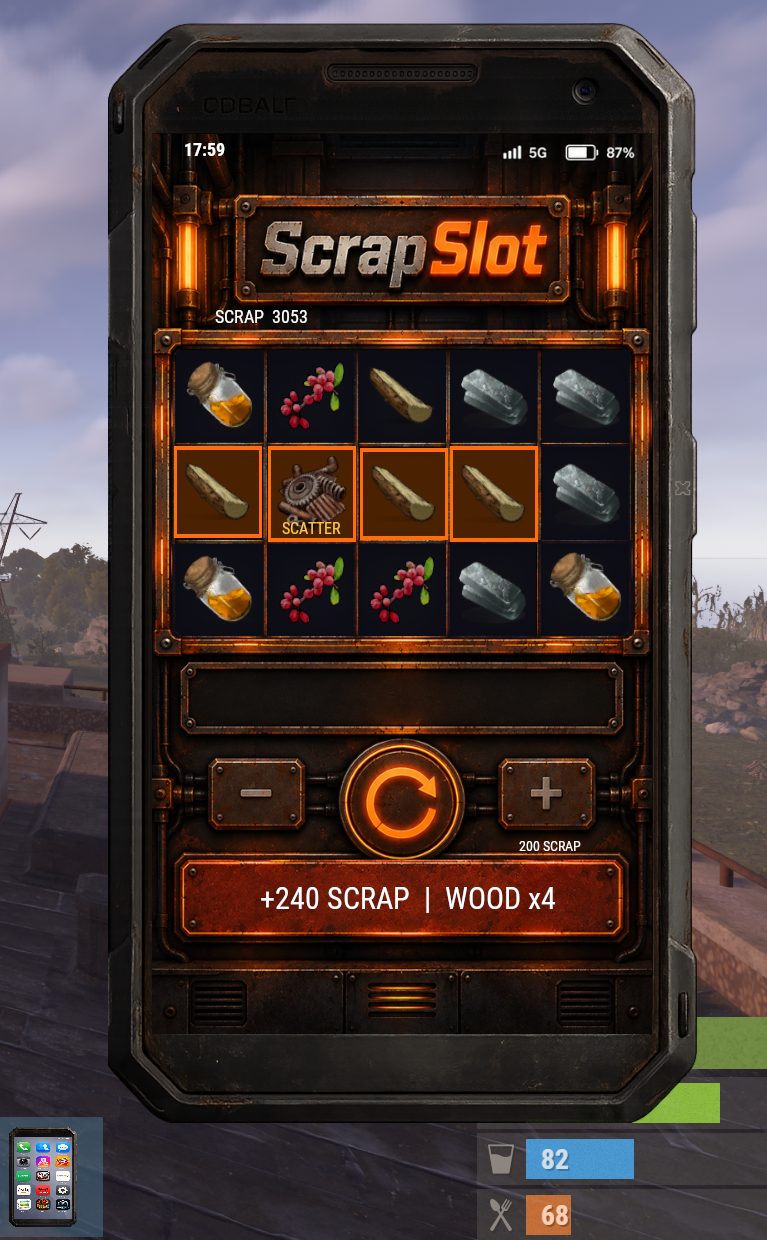
/phoneadminusing an HTTP/HTTPS image URL. - ScrapSlot — A complete 5×3 Scrap-powered slot machine. Players select their bet and spin using Scrap directly from their inventory. Symbol probabilities, minimum/maximum bets and other slot settings are configurable by administrators. Wins are evaluated from the first reel with 3-, 4- and 5-symbol payouts across the supported paylines, including straight rows and the bouncing V / inverted-V patterns. Winning symbols are highlighted directly on the reels. ScrapSlot also features Scatter symbols, bonus Free Spins and a randomly selected Special symbol that can expand across reels during the bonus. Three Scatters award 10 free spins, four award 12 and five or more award 15.
- Droney — Remote drone access through Rust's native Computer Station interface without requiring the player to physically build and sit at a station. rPhone creates and manages a temporary protected Computer Station session, powers it automatically and cleans it up when the player exits. Drone control range can be extended while Droney is active. The same system powers SmartBase CCTV access while restricting CCTV bookmarks to cameras from bases the player is authorized to use.
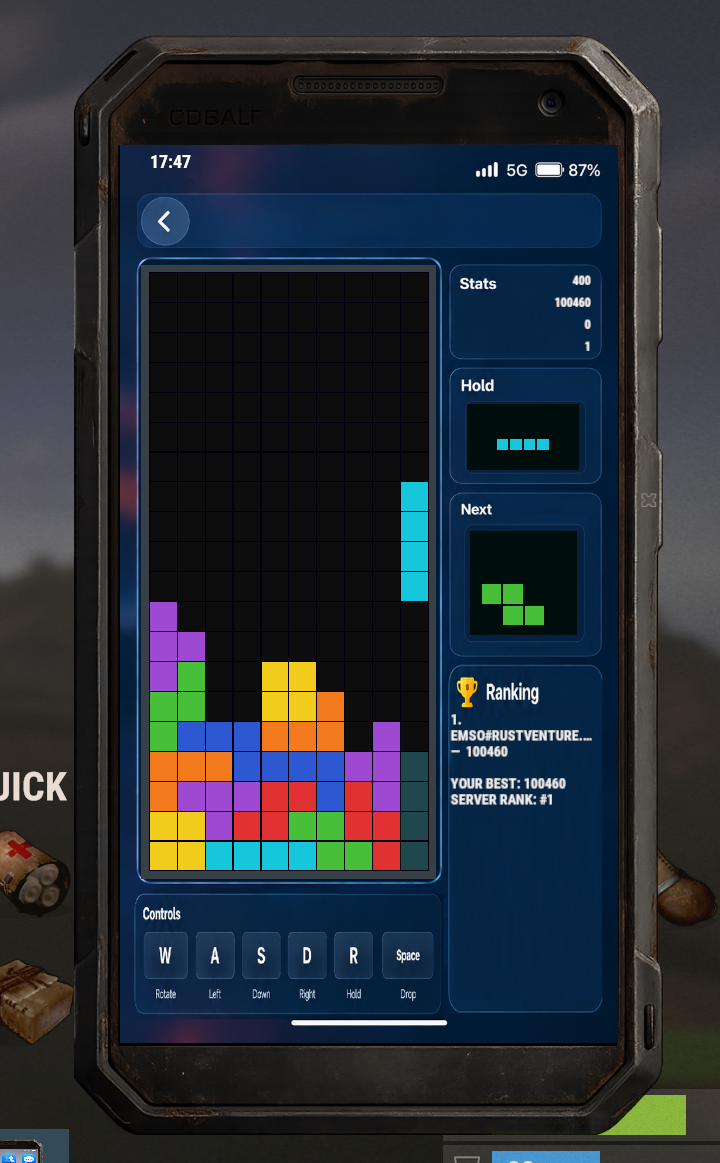
- Teatris — A complete falling-block game inside the smartphone. Teatris includes the classic 10×20 playfield, all seven pieces, a randomized seven-piece queue, next-piece preview, Hold, ghost piece, clockwise and counter-clockwise rotation, soft drop and hard drop. Score, lines and level progression are tracked during play. Player statistics persist and include high score, best line count, games played and total score, with an integrated leaderboard. Both keyboard/movement controls and phone UI controls are supported.
- Settings — Player-specific smartphone settings. Players can enable or disable phone notifications, view their phone number and rPhone OS information, and access an integrated help screen. When incoming-call notifications are enabled, incoming calls can automatically open the phone interface. When disabled, the player is not interrupted and can instead receive the missed-call notification.
Central Phone Administration
Everything important for normal server administration is centralized inside /phoneadmin.
The administrator can immediately enable or disable individual applications without touching layout files. Disabled apps cannot be launched from the phone home screen.
The Phone Access section lets the server owner switch between FREE FOR EVERYONE and PURCHASE REQUIRED at any time. In purchase mode, the Scrap price can be entered directly from the admin interface. In free mode, players automatically receive their rPhone.
The News section allows administrators to paste a direct image URL and immediately publish it to the News application, or open the full News management interface to edit, delete and reorder existing posts.
Lottery ticket price and prize amount can be changed directly from the main rPhone administration screen, while the advanced Lottery administration provides access to the complete Lottery configuration.
ScrapSlot has its own integrated administration page for minimum and maximum bets, symbol chance weights and Scatter probability.
Changes made through the rPhone administration interface are saved immediately.
Clean Release Configuration
Unlike development versions that expose dozens of individual layout and editor configurations, the public rPhone release uses hardcoded production layouts.
There are no separate configuration files for Camera, Messages, Hazzygram, Lottery, LootBay, SmartBase, ScrapSlot and the other applications. UI positions, sizes and finished screen layouts are compiled directly into rPhone.
The server receives one simple rPhone.json configuration containing only useful server settings such as phone access mode, purchase price, enabled applications, Lottery configuration and ScrapSlot settings.
This keeps installation clean and prevents accidental destruction of the carefully designed phone layout.
Example configuration structure:
{
  "Smartphone": {
    "Free for every player": false,
    "Price in Scrap when not free": 1000
  },
  "Applications": {
    "phone": true,
    "contacts": true,
    "gallery": true,
    "camera": true,
    "messages": true,
    "hazzygram": true,
    "lottery": true,
    "lootbay": true,
    "sulfbank": true,
    "smartbase": true,
    "news": true,
    "scrapslot": true,
    "droney": true,
    "teatris": true,
    "settings": true
  }
}
Commands
Command
Description
/phone
Opens rPhone
/phonebuy
Purchases a smartphone when Purchase Required mode is enabled
/phoneadmin
Opens the central rPhone administration interface
There are intentionally only three public chat commands. Individual applications are launched through the phone interface instead of filling the server with separate player commands.
Administration & Permissions
/phoneadmin can be accessed by server administrators or players with the rphone.admin permission.
rPhone also contains optional per-application use/admin permissions internally for servers that require more restrictive access control. The normal release configuration is designed so server owners can simply enable or disable applications globally from the central administration UI instead of manually managing every module.
Phone Ownership
rPhone supports two server styles.
In Free Mode, every player automatically receives a smartphone and permanent phone number. New players receive theirs when joining the server, making rPhone function as part of the core server experience.
In Purchase Mode, players must use /phonebuy and pay the configured amount of Scrap before the phone becomes available. This allows rPhone to become part of your server progression and economy.
Administrators can switch between these modes directly in /phoneadmin.
Integrated App Ecosystem
One of the main advantages of rPhone is that the applications are not isolated.
Camera images can be used in Gallery, Messages, Hazzygram and LootBay. Contacts connect directly to Phone and Messages. SmartBase uses Droney to provide native CCTV access. Settings controls how Phone call notifications behave. rPhone phone numbers can be used by Messages and SulfBank. /phoneadmin directly controls News, Lottery, ScrapSlot and the launcher.
The result is one connected smartphone ecosystem instead of a menu containing unrelated plugins.
Persistent Player Data
rPhone stores required gameplay data separately from the configuration. This includes phone ownership and numbers, contacts, calls, SMS conversations, Camera photos, Hazzygram profiles and content, marketplace listings, Lottery information, game scores and other persistent app data.
This means the one-file configuration stays clean while important player data remains persistent.
Performance & Image Handling
rPhone includes its own shared image caching system for remote UI images. Downloaded images can be cached through Rust FileStorage so interfaces do not need to repeatedly request the same external images every time an application is opened.
Image-heavy applications such as News, Hazzygram, Camera and the main phone interface therefore share the same centralized image infrastructure.
The system also includes image validation, download queues, retry handling and cached player-avatar support.
Economy Integration
Most of rPhone works without an external economy plugin.
SulfBank is the exception because it acts as a frontend for an existing server economy. It contains built-in handling for commonly used systems including Economics, CashSystem and ServerRewards, as well as automatic API discovery and a custom-provider system.
The rest of the phone suite — Phone, Contacts, Camera, Messages, Hazzygram, Lottery, LootBay, SmartBase, News, ScrapSlot, Droney, Teatris and Settings — is integrated directly into rPhone.
Built for a Complete Server Experience
rPhone can be used as a small quality-of-life phone, but it is designed to become a major part of a Rust server.
Players can communicate without leaving the game, build social profiles, share screenshots, trade assets, transfer money, remotely protect their bases, browse server announcements, gamble, participate in lotteries, control drones and compete on a game leaderboard — all through the same smartphone UI.
Instead of installing and maintaining a large number of unrelated phone plugins, rPhone delivers the entire experience as one unified plugin.
One phone. One plugin. 15 integrated apps. One connected player ecosystem.