
 https://rustventure.gg
 Join our Discord
🛠️ AdminTools — Ultimate Rust Server Administration Suite
FULL SHOWCASE VIDEO: https://www.youtube.com/watch?v=1zv3e0CV2ns&t=8s
AdminTools is a powerful all-in-one administration plugin for Rust servers running on uMod/Oxide.
It combines server management, player tools, economy, kits, shop, loot editing, PvP arena management, UI customization, player HUD, leaderboard, kill feed, teleport systems, automation tools, plugin utilities and much more into one clean in-game admin interface.
Designed for server owners who want full control without constantly editing files or switching between multiple separate plugins.
Open the main menu with:
/admin
✨ Main Features
✅ Complete in-game admin dashboard
✅ Player management tools
✅ Permission and group management
✅ Server settings menu
✅ Tools menu
✅ Advanced loot editor
✅ Crate, barrel and scientist loot settings
✅ Gather, stack, furnace and recycler settings
✅ Economy system
✅ Shop system
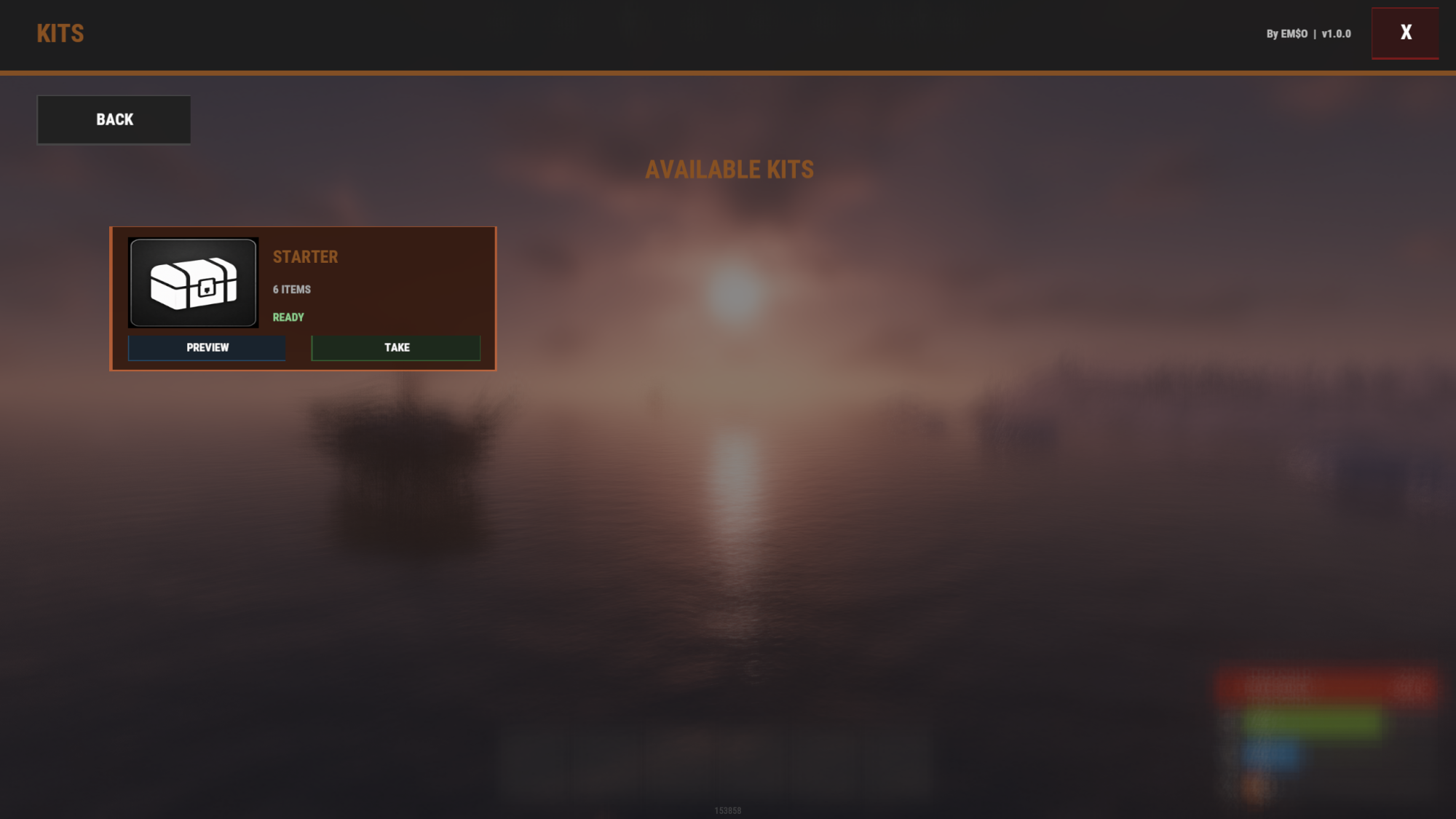
✅ Kits system
✅ Player UI / HUD system
✅ Player menu system
✅ Leaderboard and player stats
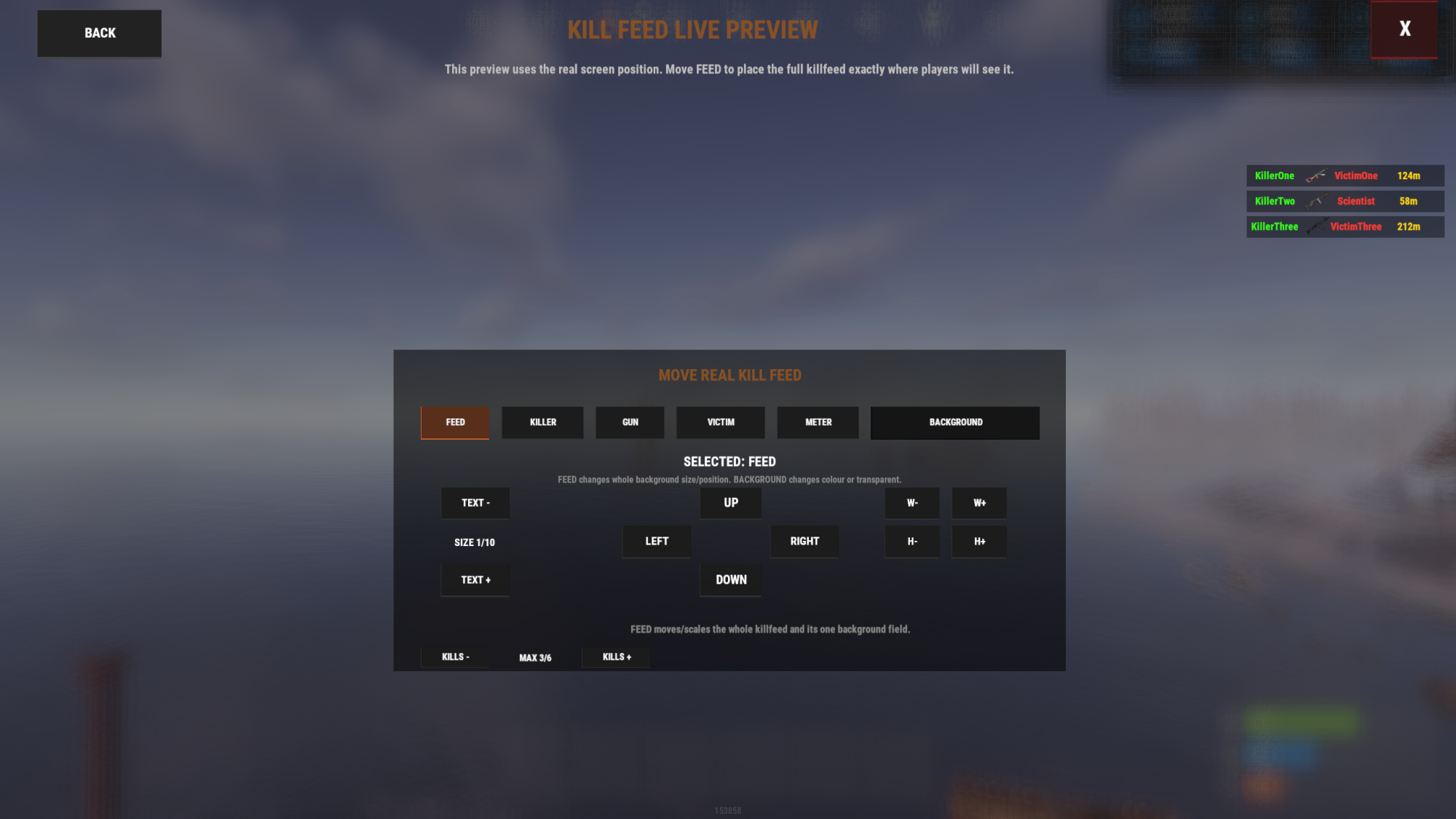
✅ Custom kill feed system
✅ Skin system
✅ Delete tool
✅ Base remove tool
✅ Teleport tools
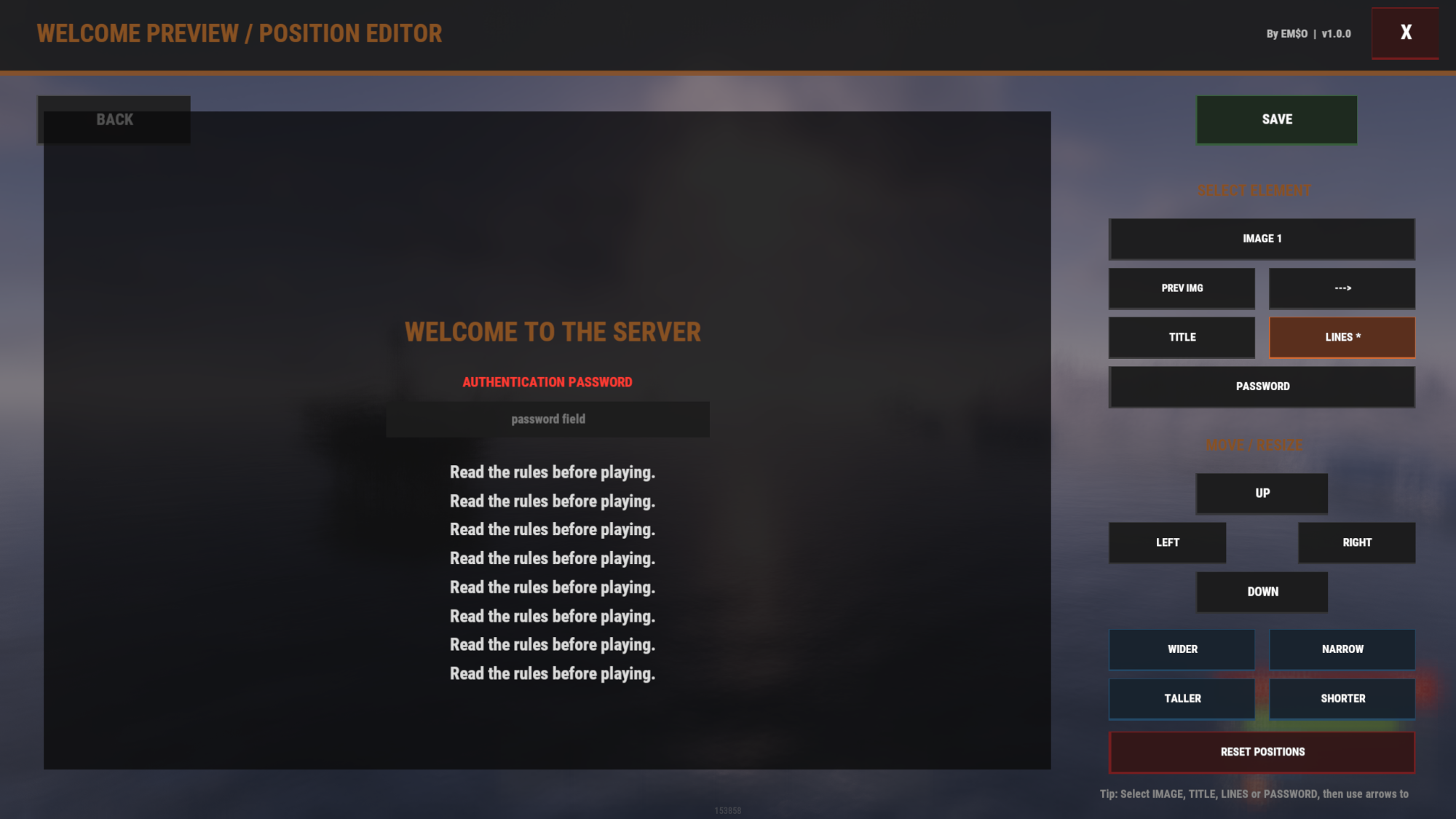
✅ Welcome screen editor
✅ Automated messages
✅ Custom events
✅ PVP Arena integration
✅ Raidable Bases integration screen
✅ Plugin/content overview
✅ Multiple UI design styles
✅ RUST design with real Rust item icons
🧭 Modern Admin Dashboard
AdminTools includes a full in-game admin UI with quick access to important server tools.
The dashboard gives admins fast access to:
✅ Player management
✅ Server settings
✅ Tools menu
✅ Content menu
✅ Loot settings
✅ Events menu
✅ Economy management
✅ Kits and shop tools
✅ Player UI editor
✅ Welcome screen editor
✅ Kill feed editor
✅ Design settings
✅ Plugin tools
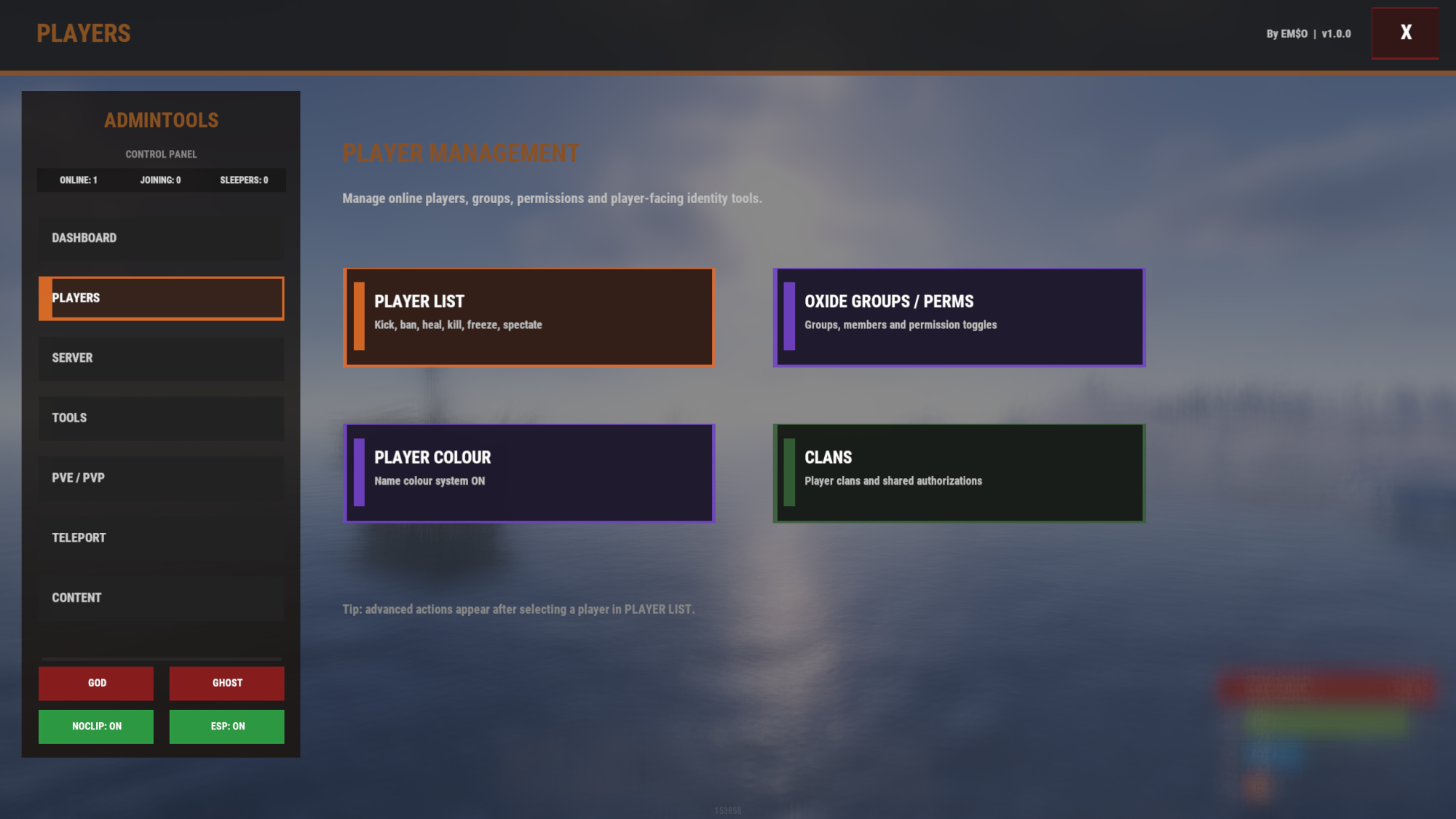
👥 Player Management
Manage players directly from the AdminTools UI.
✅ View online players
✅ Select players from the player list
✅ Kick players
✅ Ban players
✅ Kill players
✅ Heal players
✅ Freeze players
✅ Spectate players
✅ Teleport to players
✅ Teleport players to you
✅ Admin POV / player perspective tools
✅ Player-specific actions from the UI
🔐 Permission & Group Management
AdminTools includes built-in tools for managing Oxide groups and permissions.
✅ View groups
✅ Create groups
✅ Delete groups
✅ Add players to groups
✅ Remove players from groups
✅ View permissions
✅ Grant permissions
✅ Revoke permissions
✅ Manage plugin permissions from inside the UI
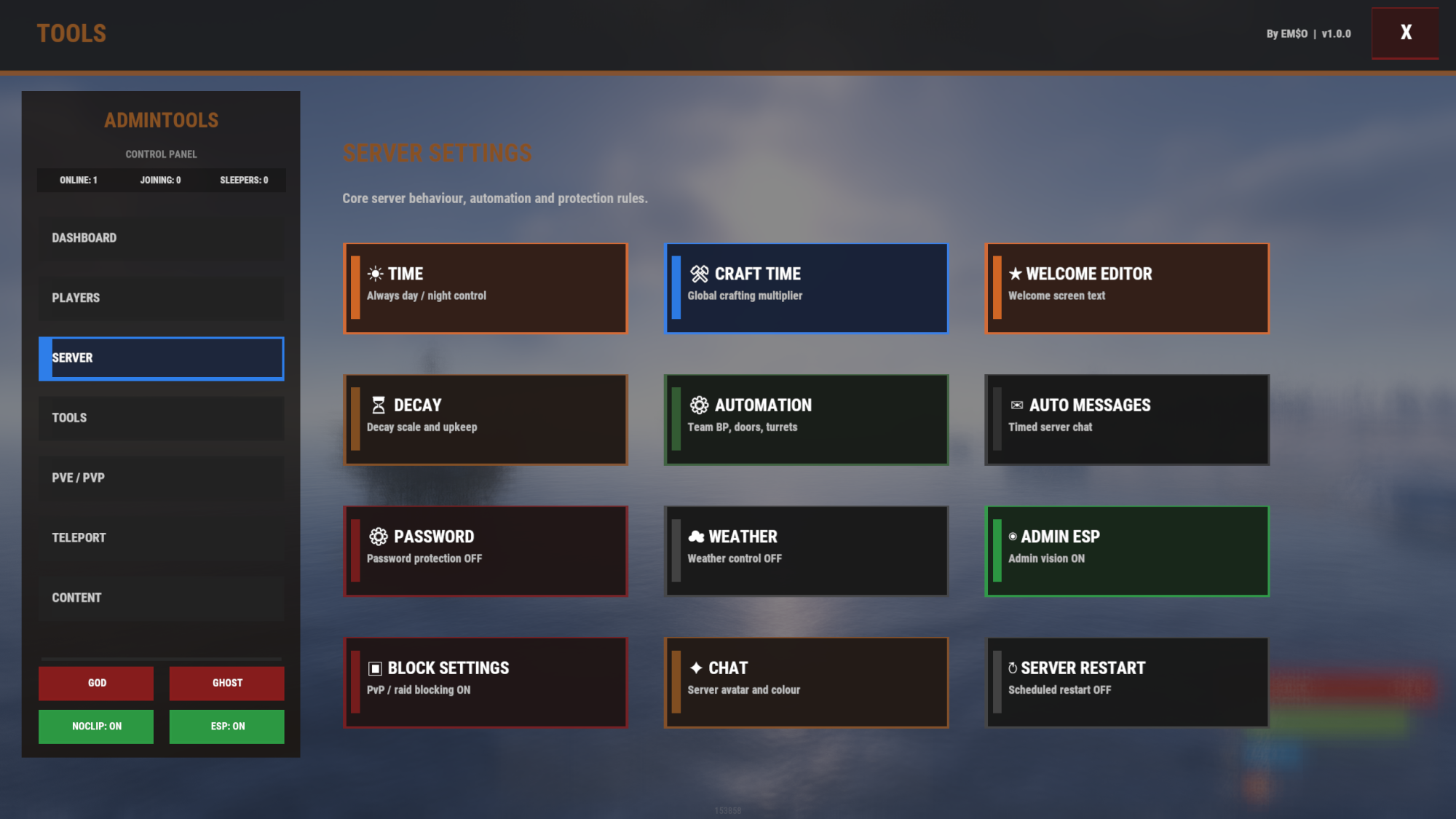
🧰 Server Settings
Control important server systems directly from the admin menu.
Included systems:
✅ Time control
✅ Craft time settings
✅ Welcome editor
✅ Decay settings
✅ Automation settings
✅ Auto messages
✅ Password protection
✅ Weather control
✅ Admin ESP
✅ Block settings
✅ Chat settings
✅ Server restart scheduler
This makes it easy to manage server behavior without manually editing config files.
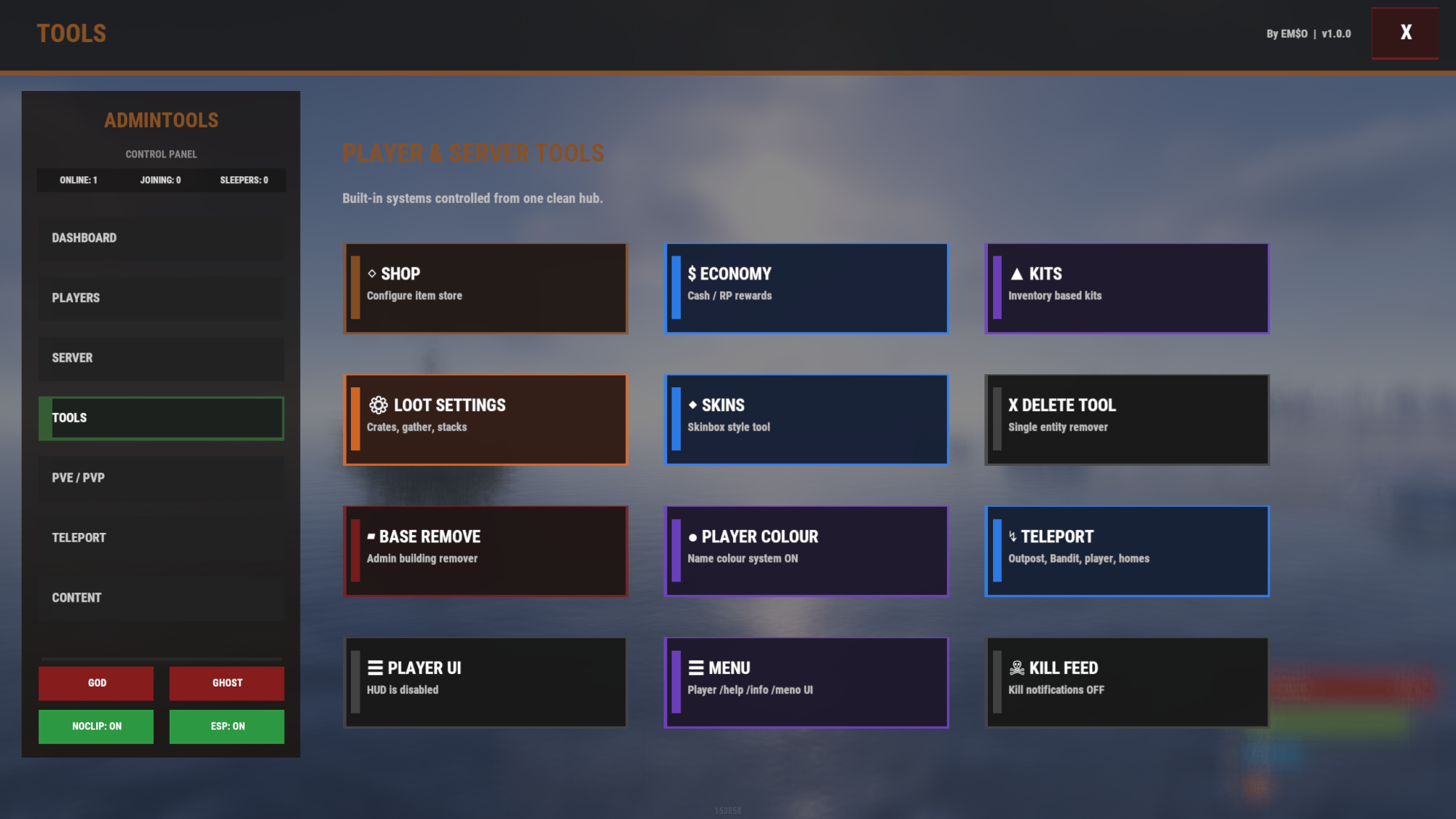
🛠️ Tools Menu
The Tools menu contains advanced systems for server and player management.
Included tools:
✅ Shop
✅ Economy
✅ Kits
✅ Loot Settings
✅ Skins
✅ Delete Tool
✅ Base Remove
✅ Player Colour
✅ Teleport
✅ Player UI
✅ Player Menu
✅ Kill Feed
🎨 UI Design System
AdminTools includes multiple admin UI designs.
Available designs:
Classic
Modern
Future
RUST
Classic, Modern and Future use clean text symbols inside the menu.
RUST design uses real Rust item icons inside the Server and Tools menu cards, for example:
⚙ Loot Settings
⚙ Automation
⚙ Password
☰ Player UI
☰ Menu
Hammer icon for Delete Tool
Weapon icon for Skins
Gear icon for Loot Settings
You can also change:
✅ UI design style
✅ Accent colour
✅ Font
✅ Preview design
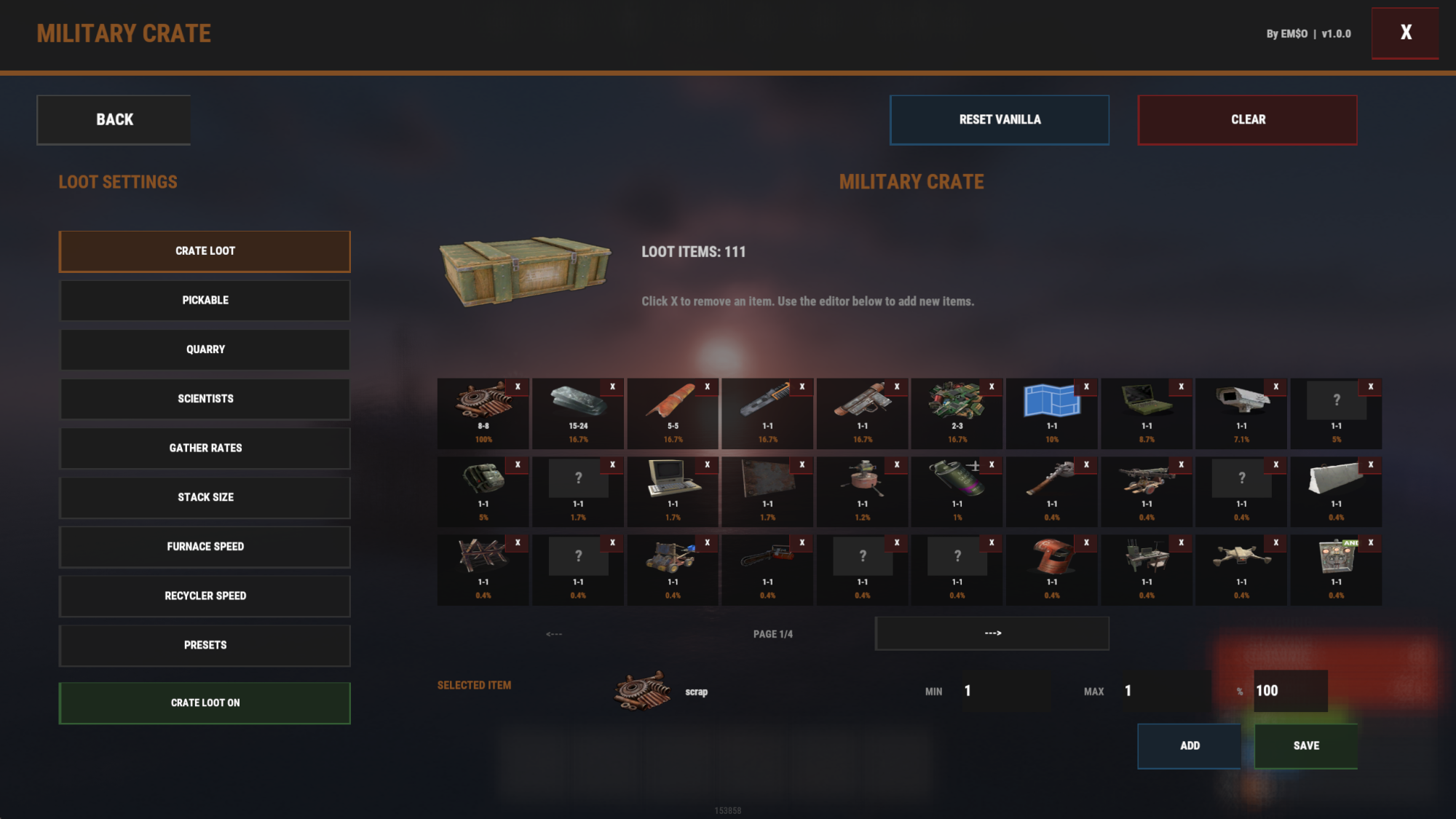
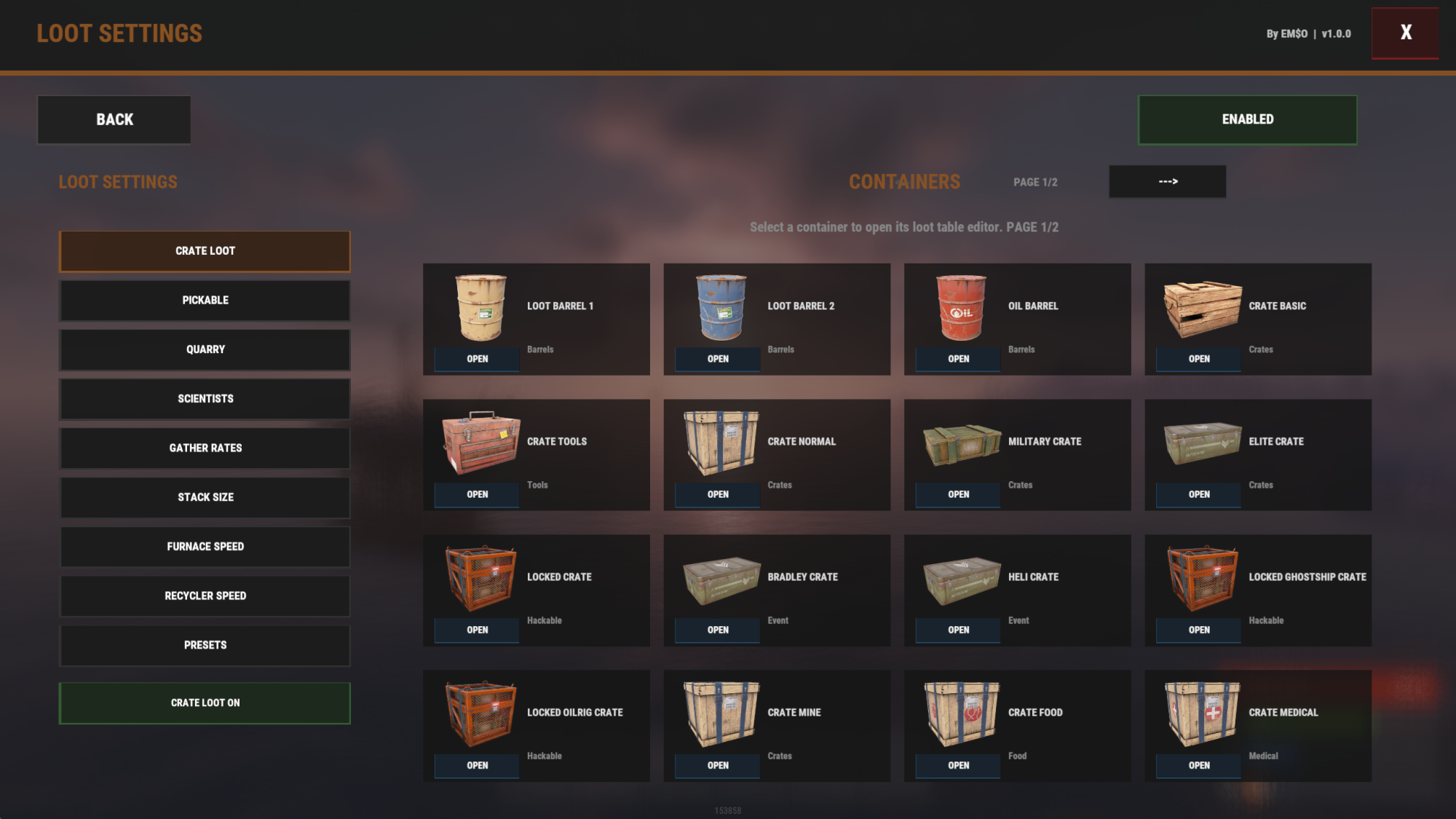
📦 Advanced Loot Settings
AdminTools includes a powerful in-game loot editor system.
You can edit loot for:
✅ Crates
✅ Barrels
✅ Oil barrels
✅ Hackable crates
✅ Underwater crates
✅ Wagon crates
✅ Supply drops
✅ Bradley crates
✅ Patrol helicopter crates
✅ Scientist loot
✅ Pickables
✅ Quarries
✅ Gather rates
✅ Stack sizes
✅ Furnace speed
✅ Recycler settings
Each loot entry supports:
Item shortname
Minimum amount
Maximum amount
Drop chance
Enabled / disabled
Loot tables can be edited directly from the UI and reset to default values when needed.
🧰 Supported Crate & Container Loot
AdminTools supports 31 managed loot container types.
Supported containers include:
✅ Loot Barrel 1
✅ Loot Barrel 2
✅ Oil Barrel
✅ Basic Crate
✅ Tools Crate
✅ Normal Crate
✅ Military Crate
✅ Elite Crate
✅ Locked Crate / Hackable Crate
✅ Bradley Crate
✅ Patrol Helicopter Crate
✅ Ghost Ship Hackable Crate
✅ Oil Rig Hackable Crate
✅ Mine Crate
✅ Food Crate
✅ Medical Crate
✅ Supply Drop
✅ Underwater Basic Crate
✅ Underwater Advanced Crate
✅ Underwater Lab Ammunition Crate
✅ Underwater Lab Elite Crate
✅ Underwater Lab Medical Crate
✅ Underwater Lab Normal Crate
✅ Underwater Lab Normal 2 Crate
✅ Underwater Lab Tier 2 Components
✅ Underwater Lab Tier 3 Components
✅ Underwater Lab Tools Crate
✅ Wagon Normal Crate
✅ Wagon Normal 2 Crate
✅ Wagon Food Crate
✅ Wagon Medical Crate
AdminTools also includes custom crate images/icons for the supported loot categories.
🧪 Scientist Loot Editor
AdminTools includes a detailed scientist loot editor.
Scientist loot can be configured separately for 28 different scientist categories.
Supported scientist loot categories include:
✅ Abandoned Military Base Scientist
✅ Airfield Scientist
✅ Arctic Research Base Scientist
✅ Bradley Heavy Flamethrower Scientist
✅ Bradley Heavy M249 Scientist
✅ Bradley Heavy Minigun Scientist
✅ Bradley Heavy SPAS-12 Scientist
✅ Bradley Scientist
✅ Cargo Ship Scientist
✅ Deep Sea Ghost Ship Scientist
✅ Deep Sea Island Scientist
✅ Excavator Scientist
✅ Launch Site Scientist
✅ Military Tunnel Scientist
✅ Missile Silo Inside Scientist
✅ Missile Silo Outside Scientist
✅ Oil Rig Heavy Flamethrower Scientist
✅ Oil Rig Heavy M249 Scientist
✅ Oil Rig Heavy Minigun Scientist
✅ Oil Rig Heavy SPAS-12 Scientist
✅ Oil Rig Scientist
✅ Outbreak Sprayer
✅ PT Boat Scientist
✅ RHIB Scientist
✅ Road Scientist
✅ Trainyard Scientist
✅ Tunnel Dweller
✅ Underwater Lab Dweller
Each scientist category has its own loot table and can be edited through the same loot editor system.
⛏️ Gather, Stack, Furnace & Recycler Settings
AdminTools includes important progression settings for modded Rust servers.
You can configure:
✅ Global gather multiplier
✅ Wood multiplier
✅ Stone multiplier
✅ Metal ore multiplier
✅ Sulfur ore multiplier
✅ HQM ore multiplier
✅ Global stack multiplier
✅ Custom stack sizes
✅ Furnace speed multiplier
✅ Small furnace speed
✅ Large furnace speed
✅ Electric furnace speed
✅ Recycler speed multiplier
✅ Recycler output multiplier
Custom stack sizes can be added with:
/adminstack shortname amount
Example:
/adminstack scrap 5000
/adminstack wood 10000
/adminstack stones 10000
🔥 Furnace Speed Settings
Control furnace output speed directly from the AdminTools loot settings menu.
Supported furnace settings:
✅ Global furnace multiplier
✅ Small furnace multiplier
✅ Large furnace multiplier
✅ Electric furnace multiplier
✅ Fuel consumption stays normal
✅ Output speed can be increased
Example:
Global Furnace Multiplier: 2
Small Furnace Multiplier: 3
Result: Small Furnace output is boosted by 6x.
🌿 Pickable Settings
Control how much players receive when picking up world resources.
Supported pickables include:
✅ Wood stump
✅ Stone
✅ Metal ore
✅ Sulfur ore
✅ Diesel barrel
✅ Hemp
✅ Yellow berry
✅ Blue berry
✅ Red berry
✅ Green berry
✅ White berry
✅ Black berry
✅ Rose
✅ Orchid
✅ Mushroom
✅ Potato
✅ Pumpkin
✅ Corn
✅ Wheat
✅ Sunflower
✅ Coconut
Each pickable can have a custom amount.
🏗️ Quarry Settings
Control quarry and excavator output multipliers.
Supported quarry types:
✅ Stone Quarry
✅ Sulfur Quarry
✅ HQM Quarry
✅ Excavator Stone
✅ Excavator Metal
✅ Excavator HQM Ore
✅ Excavator Sulfur Ore
Each quarry type can have its own multiplier.
💰 Economy System
AdminTools includes a built-in economy system for server rewards and shop usage.
Supported features:
✅ Cash currency
✅ RP currency
✅ Cash + RP mode
✅ Playtime rewards
✅ Player kill rewards
✅ NPC kill rewards
✅ Per-player balances
✅ Economy admin panel
✅ Add/remove currency
✅ Shop integration
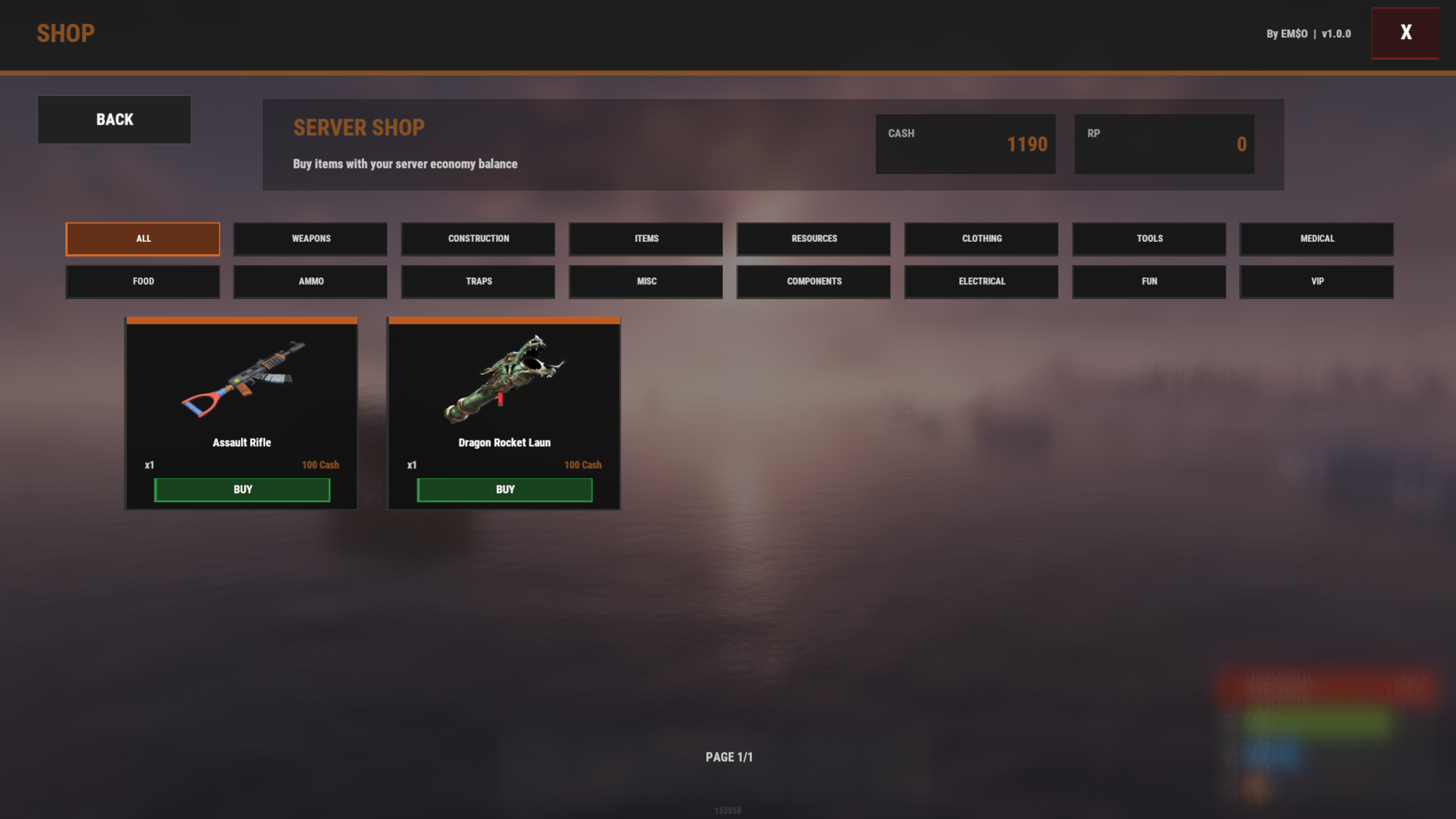
🛒 Shop System
Create and manage a server shop directly inside AdminTools.
Shop features:
✅ Item shop
✅ Item display names
✅ Categories
✅ Cash or RP prices
✅ Item amounts
✅ Skin ID support
✅ Permission restrictions
✅ Group restrictions
✅ Enable/disable shop items
✅ Player shop UI
🎒 Kits System
Create and manage kits directly in the UI.
Kits system features:
✅ Create kits
✅ Edit kit display name
✅ Add items
✅ Set item amounts
✅ Set item skins
✅ Set cooldowns
✅ Group-restricted kits
✅ Permission-restricted kits
✅ Locked kit button text
✅ Custom popup text
✅ Player cooldown tracking
🖥️ Player UI / HUD System
AdminTools includes a customizable player HUD.
The HUD can display:
✅ Online player count
✅ Grid location
✅ Server time
✅ Cargo status
✅ Patrol helicopter status
✅ Bradley status
✅ Custom text line
HUD features:
✅ Left/right position support
✅ Multiple color themes
✅ Blue, green, red, white and yellow layouts
✅ Editable anchors
✅ Font size settings
✅ Font index settings
✅ Preview mode
🧍 Player Menu
AdminTools includes a customizable player menu.
Supported player menu commands:
/help
/info
/menu
/meno
The player menu can include:
✅ Help page
✅ Kits button
✅ Shop button
✅ Leaderboard button
✅ Custom text
✅ Custom images
✅ Custom buttons
🏆 Leaderboard & Player Stats
AdminTools includes a built-in leaderboard and player statistics system.
Tracked stats include:
✅ Player kills
✅ Deaths
✅ K/D ratio
✅ NPC kills
✅ Best kill streak
✅ Longest kill distance
✅ Online time
✅ Farming stats
✅ Barrels destroyed
✅ Rockets fired
✅ Medical items used
✅ Item pickups
Players can open their stats with:
/stats
☠️ Kill Feed System
AdminTools includes a customizable kill feed system.
Kill Feed features:
✅ Player kill feed
✅ NPC kill support
✅ Weapon icons
✅ Distance display
✅ Real-time preview editor
✅ Position controls
✅ Size controls
✅ Max visible kills
✅ Custom colors
✅ Custom fonts
✅ Background settings
✅ Multi-kill display support
Admins can configure the kill feed directly from the Tools menu.
🔫 Skin System
AdminTools includes a skin system for supported items.
Features:
✅ Skin menu
✅ Held item skin refresh
✅ Inventory skin update
✅ Clean UI layout
✅ Right-side menu layout
Command:
/skin
🗑️ Delete Tool
A safe and configurable delete tool system for admins.
Features:
✅ Delete entities
✅ Configurable max distance
✅ Cooldown protection
✅ Anti-spam delete limit
✅ Single delete mode
✅ Hammer confirmation support
✅ Optional raid-block restrictions
🏠 Teleport System
AdminTools includes a complete teleport system for players and admins.
Features:
✅ Teleport home system
✅ Set homes
✅ Remove homes
✅ Teleport to Outpost
✅ Teleport to Bandit Camp
✅ Player-to-player teleport requests
✅ Admin teleport tools
✅ Configurable cooldowns
✅ Configurable delays
✅ Max uses per time window
✅ PvP block integration
✅ Raid block integration
✅ Monument teleport blocking
🛡️ PvP & Raid Protection
Control PvP and raid-related restrictions.
Features:
✅ PvP block timer
✅ Raid block timer
✅ Block teleport while PvP blocked
✅ Block teleport while raid blocked
✅ Block delete tool while raid blocked
✅ Block repairs while raid blocked
✅ Optional admin bypass
✅ Monument teleport protection
✅ Rebuild health percentage while raid blocked
🌦️ Time & Weather Control
Control the server environment.
Features:
✅ Always day
✅ Freeze time
✅ Custom day/night behavior
✅ Weather automation
✅ Clouds control
✅ Rain control
✅ Fog control
✅ Wind control
✅ Thunder control
🖼️ Welcome Screen System
Create a custom welcome screen for new players.
Features:
✅ Welcome title
✅ Welcome text lines
✅ Logo image
✅ Banner image
✅ Multiple custom images
✅ Custom colors
✅ Custom fonts
✅ Custom positions
✅ Optional password/auth input
✅ Admin bypass support
📢 Automated Messages
Send automated server messages.
Features:
✅ Custom message text
✅ Configurable interval
✅ Enable/disable each message
✅ Stored separately in AdminTools data
🎪 Custom Events
Create simple custom event buttons and automation.
Features:
✅ Event name
✅ Start command
✅ Stop command
✅ Console command support
✅ Chat command support
✅ Automation interval
✅ Enable/disable automation
✅ Manage events from UI
⚔️ Built-in PVP Arena Event
AdminTools includes an integrated PVP Arena Event system.
Players can join an arena event, fight in different modes and receive configurable rewards.
PVP Arena features:
✅ Integrated into AdminTools
✅ Events menu button: PVP ARENA MENU
✅ Arena editor UI
✅ CopyPaste arena spawning
✅ Join system
✅ Lobby/waiting area
✅ Match timer
✅ Kill tracking
✅ Scoreboard UI
✅ Results UI
✅ Rewards/prizes
✅ Multiple arena copy/paste files
✅ Spawn point editor
✅ Team modes
✅ FFA support
✅ GunGame support
✅ Paintball support
✅ Tournament support
✅ Spawn protection
✅ Auto-cleanup
✅ Admin test mode
📦 PVP Arena Requirement
The PVP Arena system requires the free CopyPaste plugin.
CopyPaste:\
If CopyPaste is not installed, AdminTools will show a requirement screen with the plugin link.
Arena map files must be uploaded into:
oxide/data/copypaste/
Correct:
oxide/data/copypaste/pvparena.json
oxide/data/copypaste/pvparena2.json
Wrong:
oxide/data/copypaste/PVPARENAS/pvparena.json
🧱 Raidable Bases Integration
AdminTools includes a Raidable Bases menu/integration.
This feature requires the free Raidable Bases plugin.
Raidable Bases:\
If Raidable Bases is missing, AdminTools displays a requirement screen with the plugin link.
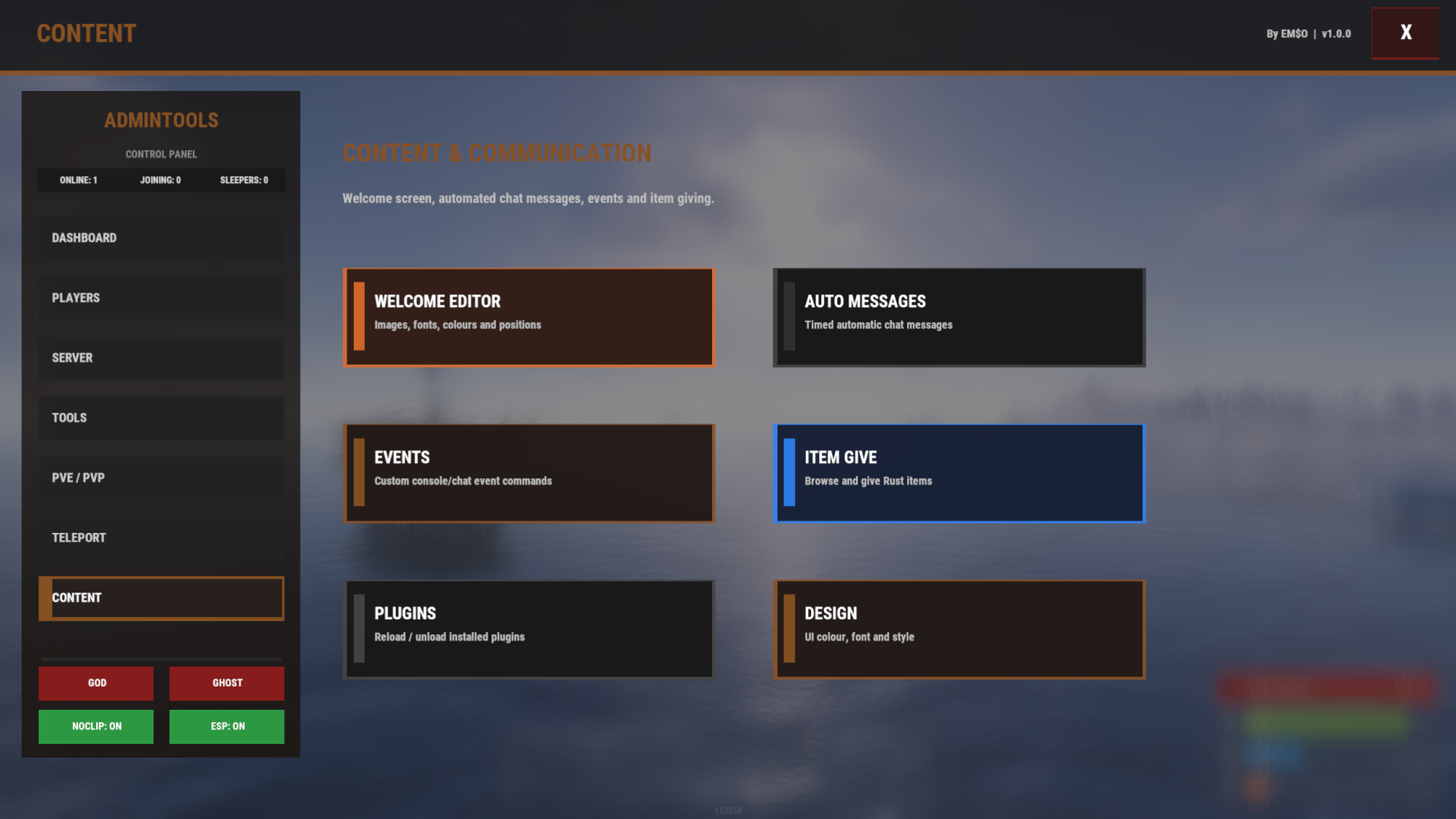
🧩 Plugin Management / Content Menu
AdminTools includes plugin-related tools in the dashboard.
Features:
✅ Plugin quick action button
✅ Plugin tools menu
✅ Plugin status overview
✅ Loaded / failed plugin status
✅ Reload plugin button
✅ Unload plugin button
✅ Server owner utility access
Plugin files are read from:
oxide/plugins
🔧 Configuration & Data Files
AdminTools uses a main config file and several data files.
Main config:
oxide/config/AdminTools.json
The config contains settings such as:
✅ Chat command
✅ Server chat name
✅ UI design style
✅ UI accent colour
✅ Welcome screen settings
✅ Player UI settings
✅ Kill feed settings
✅ Time/weather settings
✅ Teleport settings
✅ Raid/PvP block settings
✅ Delete tool settings
✅ Economy settings
✅ Shop settings
✅ Kits settings
✅ Loot settings
Data folder:
oxide/data/AdminTools/
Common data files include:
oxide/data/AdminTools/LootTables.json
oxide/data/AdminTools/PVPArenaEvent.json
oxide/data/AdminTools/Leaderboard.json
oxide/data/AdminTools/Economy.json
oxide/data/AdminTools/Kits.json
oxide/data/AdminTools/Shop.json
oxide/data/AdminTools/Messages.json
oxide/data/AdminTools/Events.json
oxide/data/AdminTools/Skins.json
oxide/data/AdminTools/TeleportHomes.json
💬 Commands
Main command:
/admin
Opens the AdminTools UI.
The command can be changed in the config:
"Chat Command": "admin"
Player stats:
/stats
Opens the player stats / leaderboard menu.
Skin menu:
/skin
Opens the skin menu.
Stack command:
/adminstack shortname amount
Example:
/adminstack scrap 5000
PVP Arena commands:
/arena
/arenaedit
/arenaspawn
/arenatest
Player / teleport commands, depending on enabled modules:
/home
/sethome
/removehome
/tpr
/tpa
/outpost
/bandit
Utility commands, depending on enabled modules:
/del
/remove
/shop
/kit
/kits
/help
/info
/menu
/meno
🔐 Permissions
Main permission:
admintools.use
Allows access to AdminTools.
Common AdminTools permissions:
admintools.players
admintools.kick
admintools.ban
admintools.groups
admintools.permissions
admintools.welcome
admintools.teleport
admintools.killplayer
admintools.healplayer
admintools.unlockblueprints
admintools.freezeplayer
admintools.spectateplayer
admintools.creategroups
admintools.deletegroups
admintools.time
admintools.items
admintools.god
admintools.ghost
admintools.noclip
admintools.craft
admintools.decay
admintools.events
admintools.plugins
admintools.raidablebases
admintools.zonemanager
admintools.messages
admintools.chat
admintools.serverrestart
admintools.adminesp
admintools.raidprotection
admintools.tpmarker
admintools.automation
admintools.lootsettings
admintools.kits
admintools.economy
admintools.playercolour
admintools.shop.admin
admintools.shop.use
admintools.deletetool
admintools.baseremove
admintools.skins.use
admintools.skins.admin
admintools.teleport.use
admintools.teleport.admin
admintools.password
admintools.colour
admintools.colour.rainbow
admintools.clan.admin
admintools.playerui
PVP Arena permissions:
pvparenaevent.admin
pvparenaevent.use
📌 Example Permission Setup
Grant admin access:
oxide.grant group admin admintools.use
oxide.grant group admin admintools.players
oxide.grant group admin admintools.lootsettings
oxide.grant group admin admintools.events
oxide.grant group admin pvparenaevent.admin
Grant player arena access:
oxide.grant group default pvparenaevent.use
Grant player shop access:
oxide.grant group default admintools.shop.use
Grant player skins access:
oxide.grant group default admintools.skins.use
📥 Installation
- Download the plugin.
- Upload it to:
oxide/plugins/AdminTools.cs
- Reload the plugin:
oxide.reload AdminTools
- Grant yourself permission:
oxide.grant user YOUR_STEAMID admintools.use
- Open the UI in-game:
/admin
🔌 Optional Dependencies
Some features require optional free plugins.
CopyPaste
Required for PVP Arena map spawning.\
Raidable Bases
Required for Raidable Bases integration.\
ZoneManager
Used for zone-related tools if installed.
✅ Why Choose AdminTools?
✅ One plugin instead of many
✅ Full admin dashboard
✅ Built-in PVP Arena system
✅ Advanced loot editor
✅ 31 supported crate/container loot categories
✅ 28 supported scientist loot categories
✅ Crate reload system
✅ Custom crate and scientist images
✅ Player UI customization
✅ Leaderboard and stats system
✅ Custom kill feed system
✅ Economy, kits, shop, teleport, permissions and more
✅ Multiple UI designs including RUST icon design
✅ Designed for Rust server owners
✅ Saves module data cleanly in oxide/data/AdminTools/
✅ Optional dependency screens with plugin links
✅ Easy in-game management
🧾 Summary
AdminTools is a complete Rust server administration suite built for owners who want powerful control directly in-game.
From player management to loot editing, from PVP events to economy systems, from welcome screens to teleport protection, from leaderboards to kill feed customization — AdminTools gives your server a professional management interface with tons of integrated features.
🛠️ Manage faster.
🎮 Control more.
🚀 Build a better Rust server.
Copyright © 2026 RUSTVENTURE.GG. All rights reserved.
AdminTools is developed and maintained by RUSTVENTURE.GG.
Unauthorized redistribution, resale, leaking, sharing, modification for resale, or re-uploading of this product is strictly prohibited.